Update an asset's details
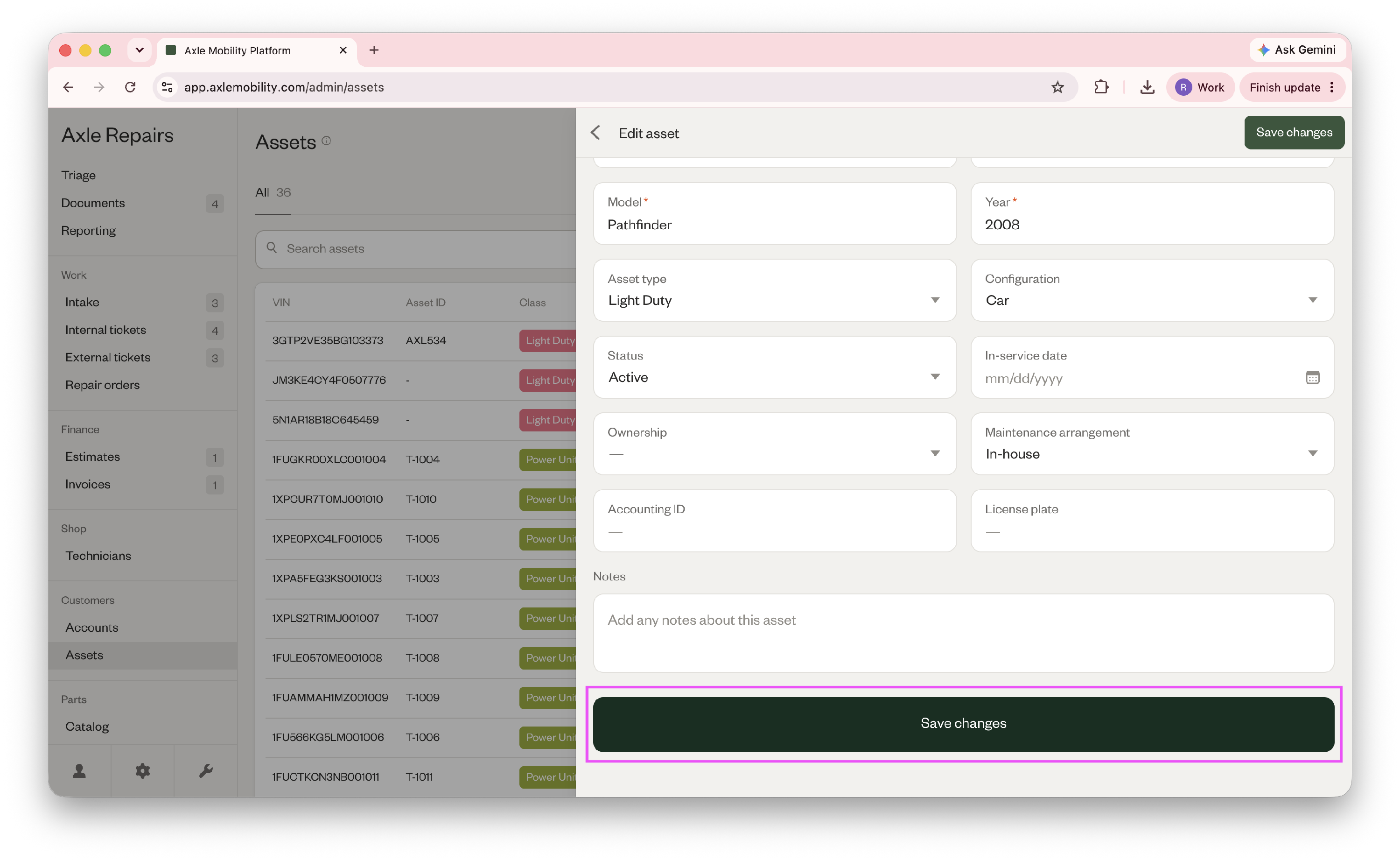
- Go to Customers > Assets and click on the asset you'd like to update. In the top right corner, click the ellipses and click Edit.
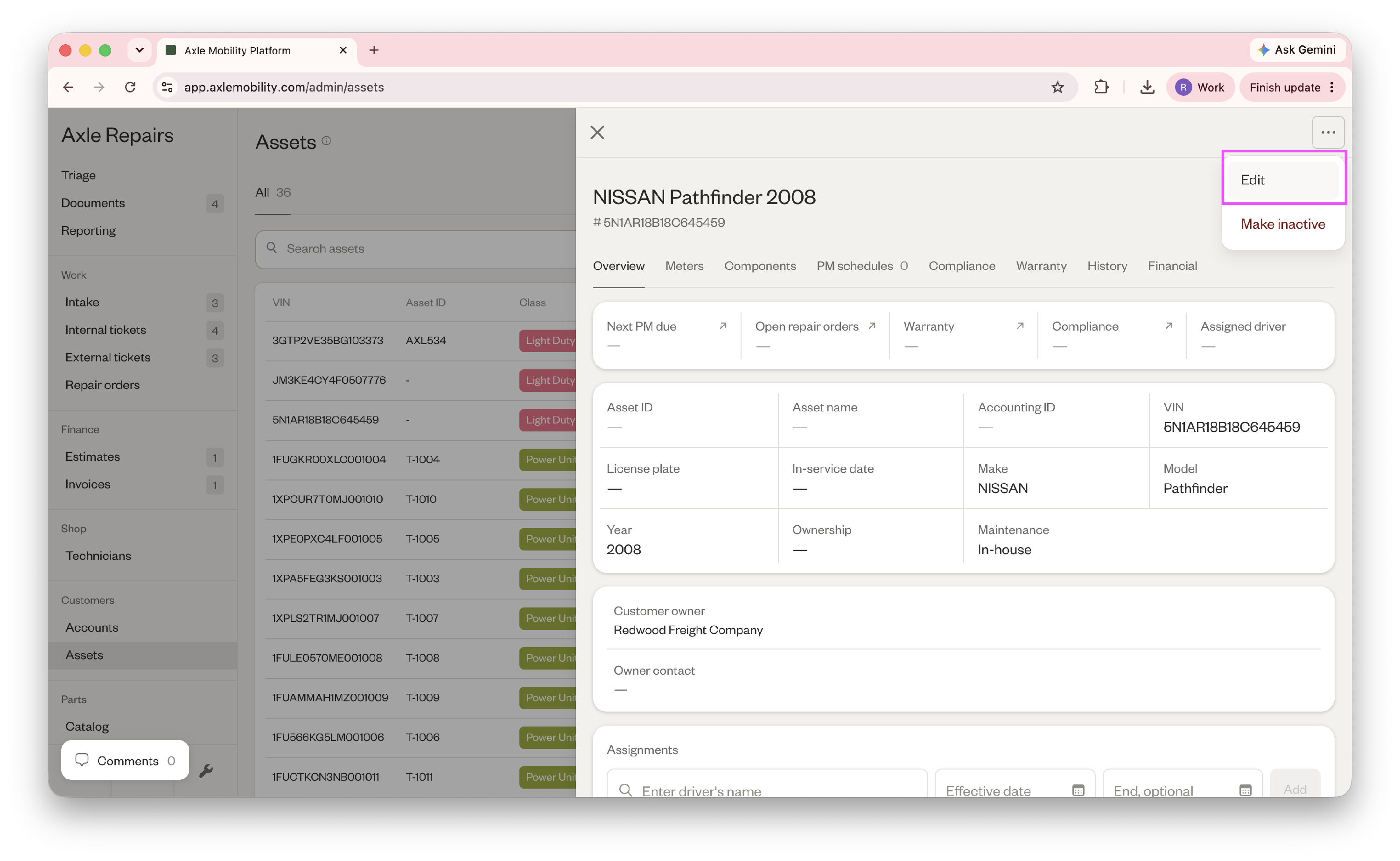
- In the edit view, update any asset details.
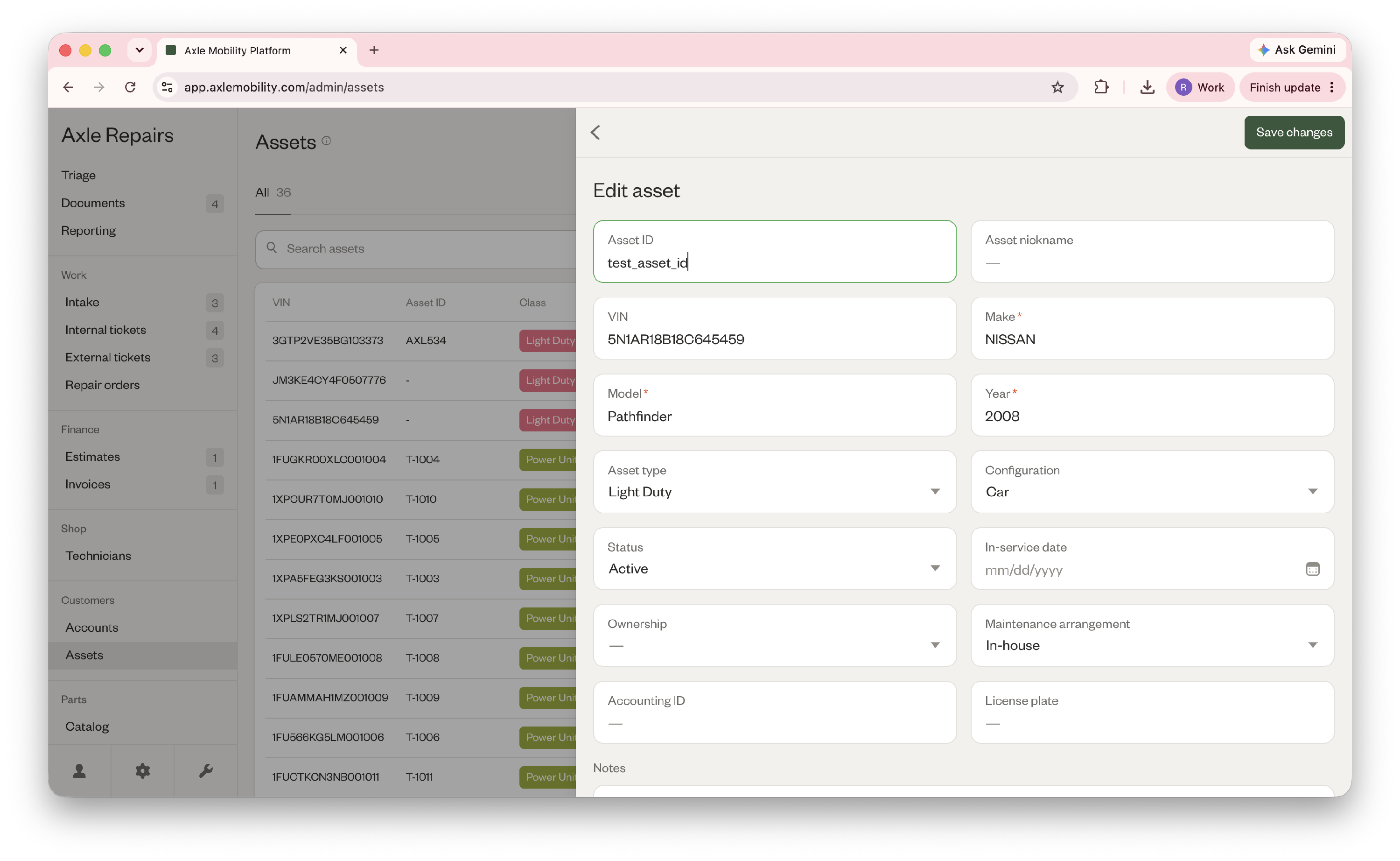
- When finished, scroll down and click Save changes.