
Create and assign a repair order
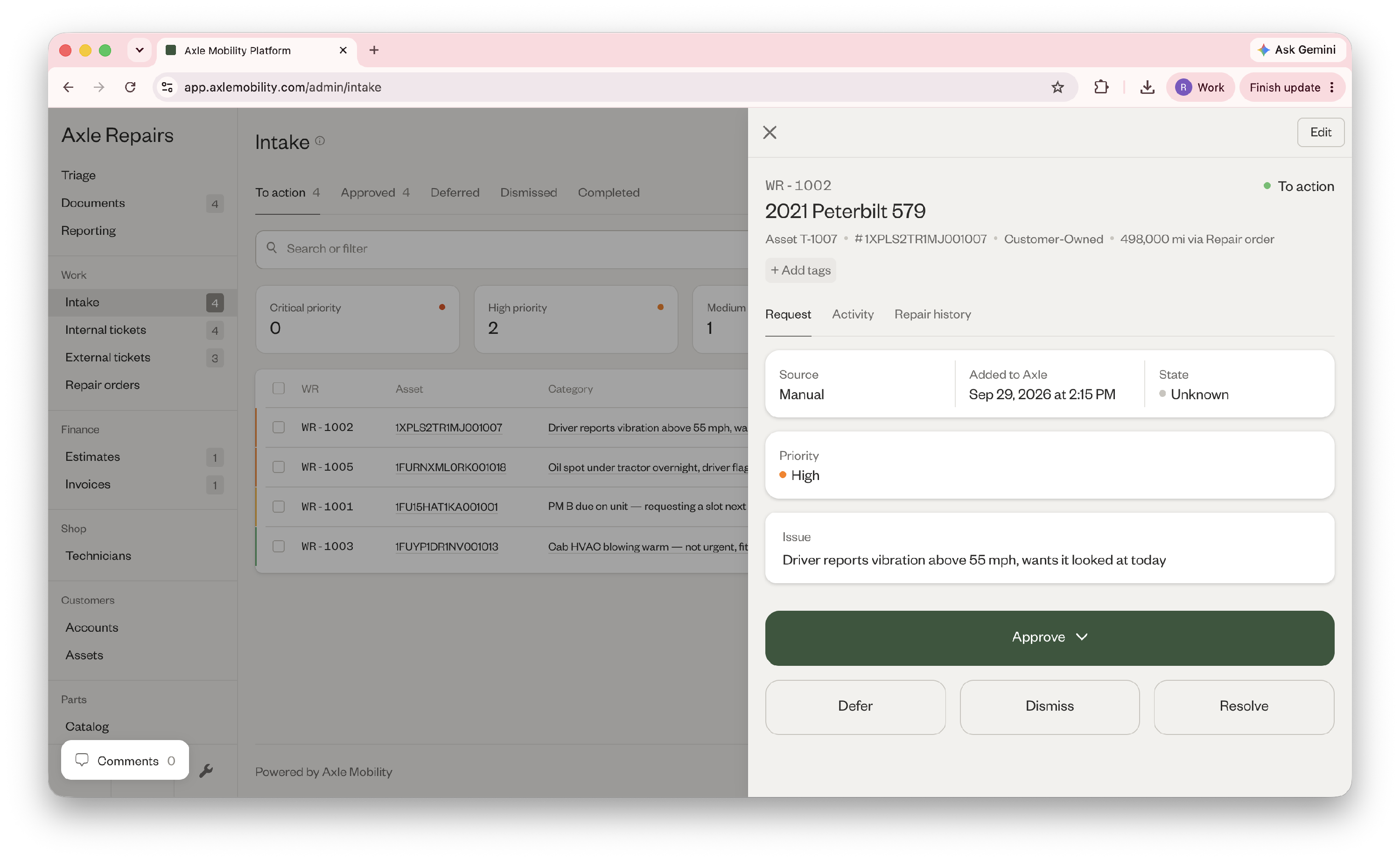
- Go to Intake and open a work request.
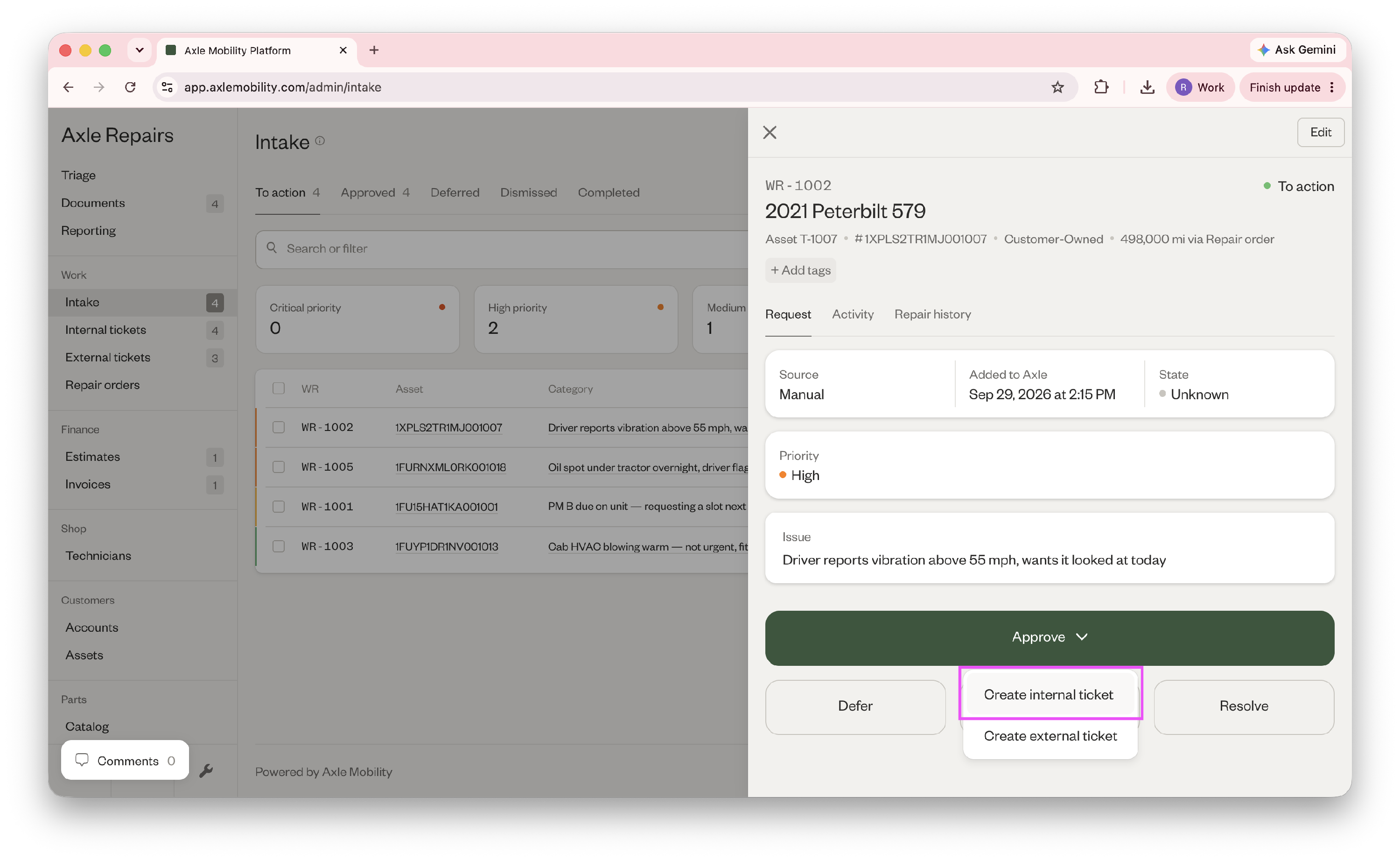
- Click "Approve" and "Create internal ticket".
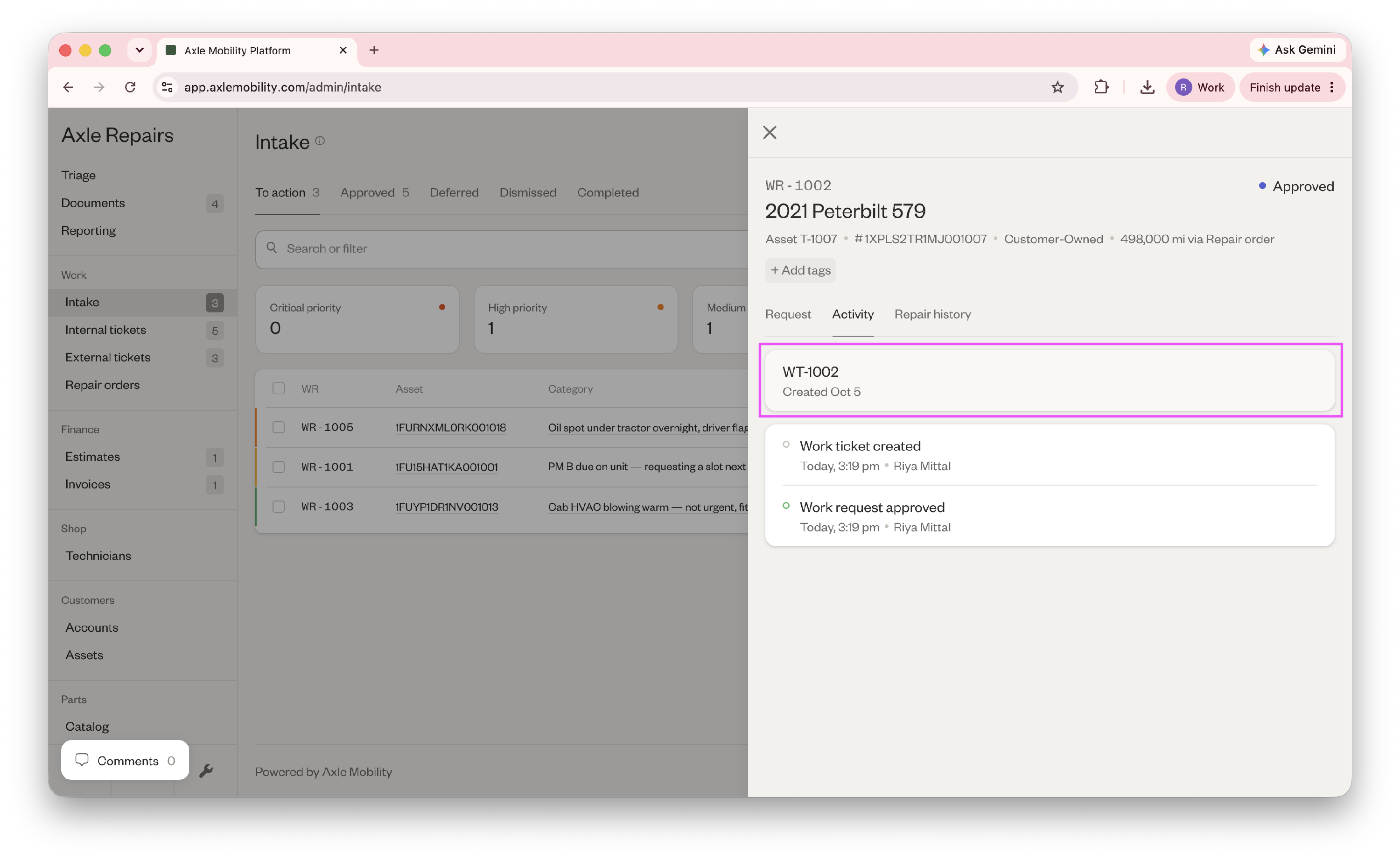
- In the Activity tab, click on the internal ticket you just created labelled with a WT (work ticket) prefix.
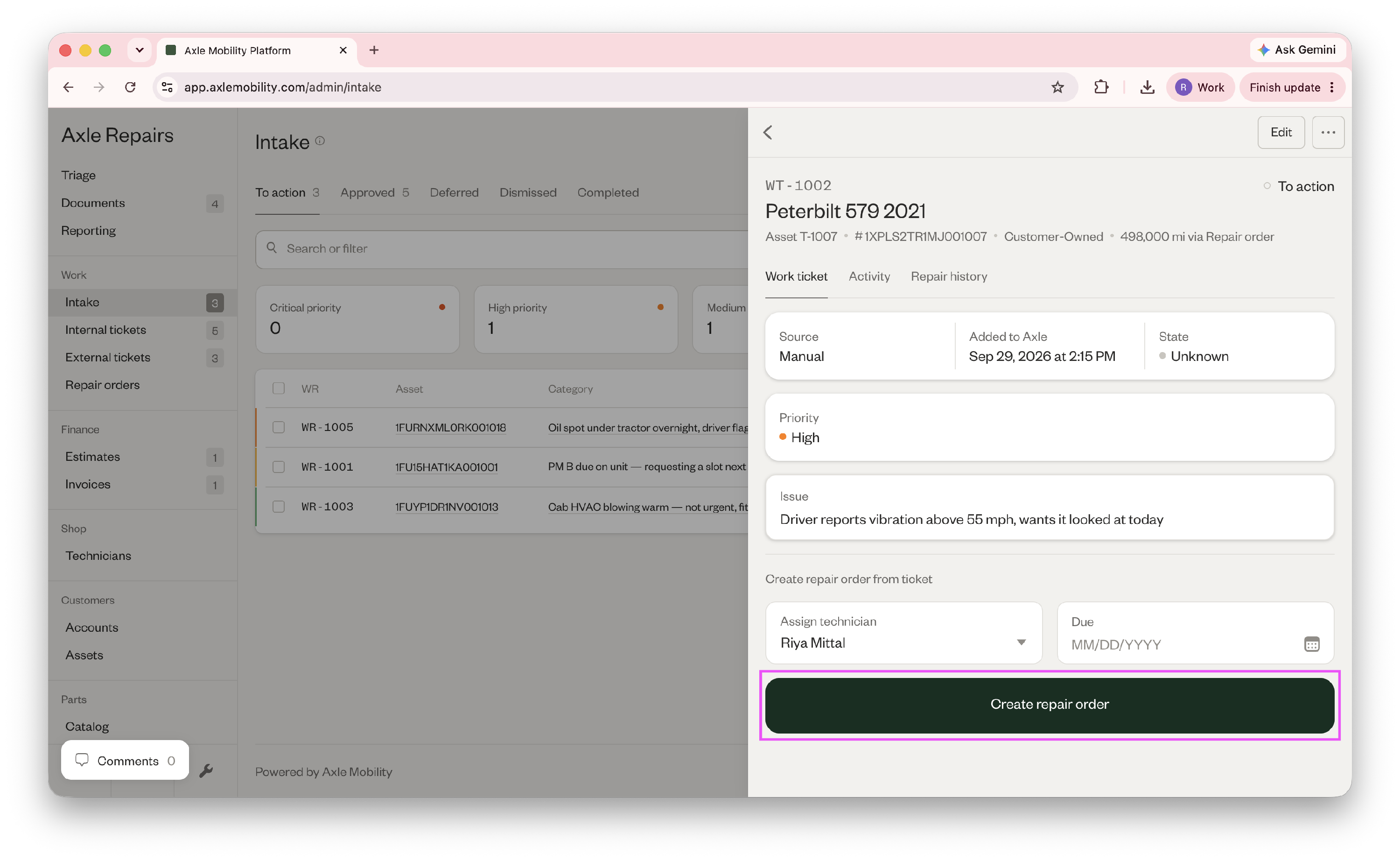
- Assign a technician (this can be yourself) and optionally, schedule the repair order.
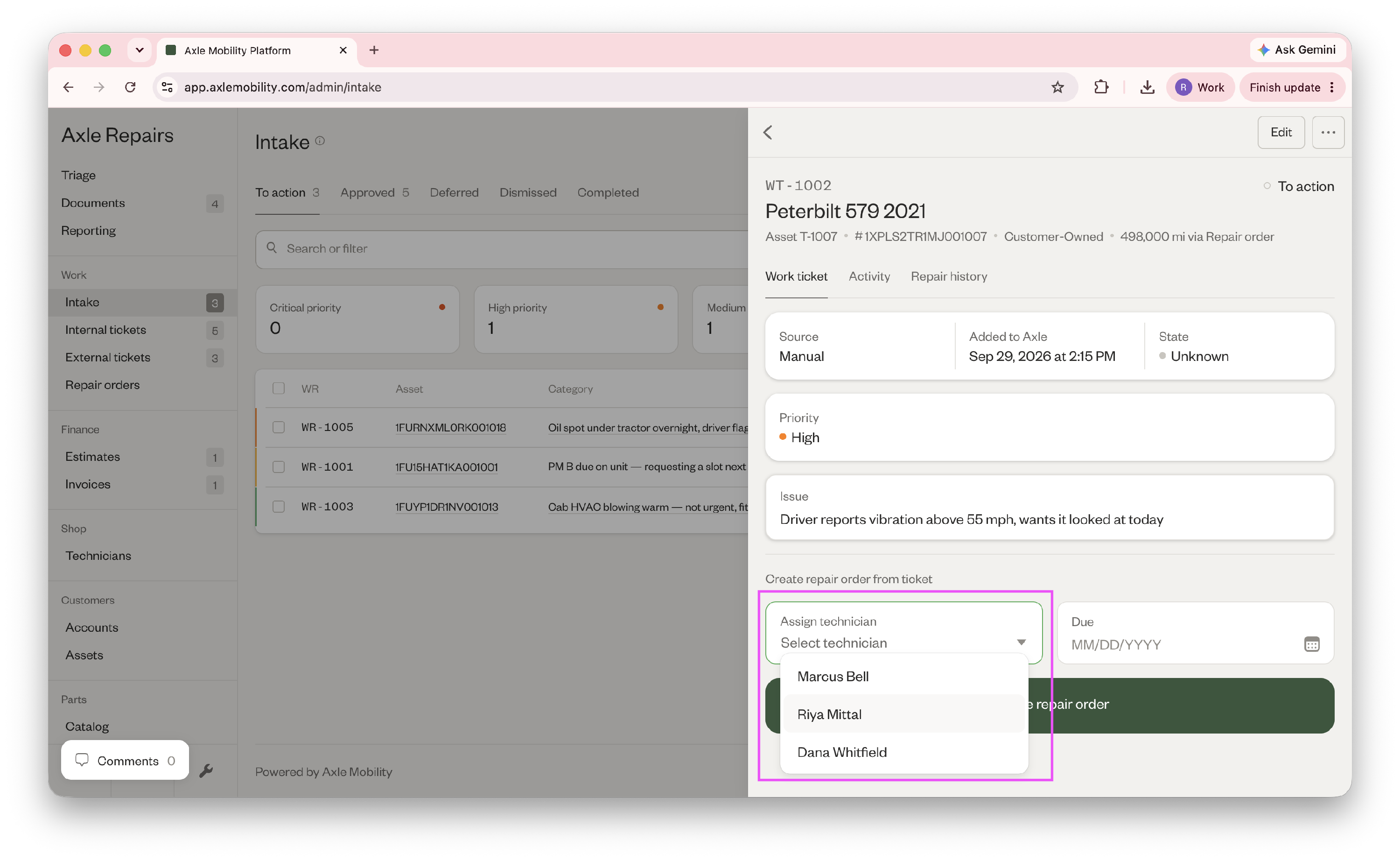
- Then, click "Create repair order".
You can view this repair order in Repair orders > Open tab.