View fleet reports
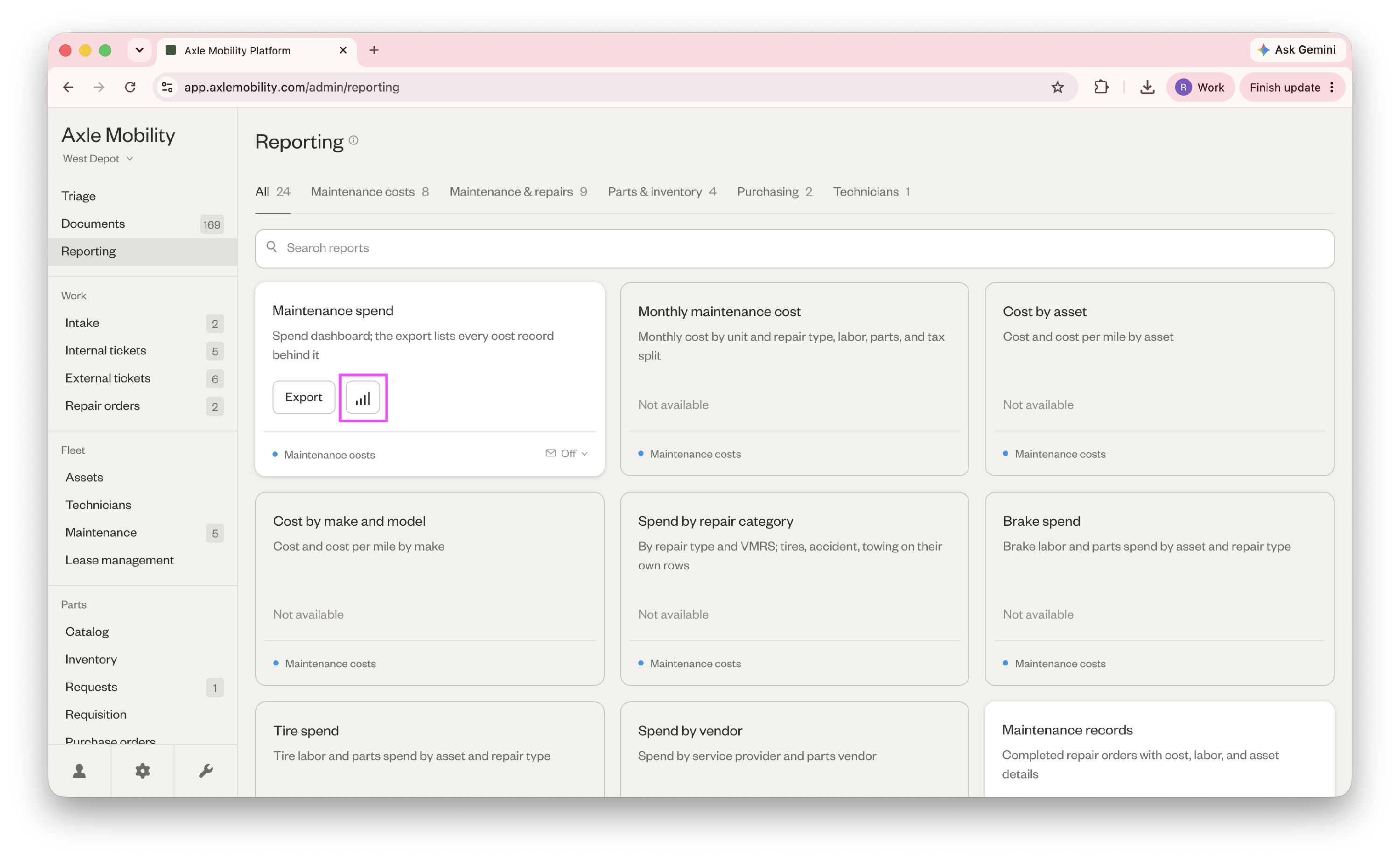
- Go to Reporting. Maintenance spend is the only viewable report — all other reports are export-only. Click the bar chart icon to view.
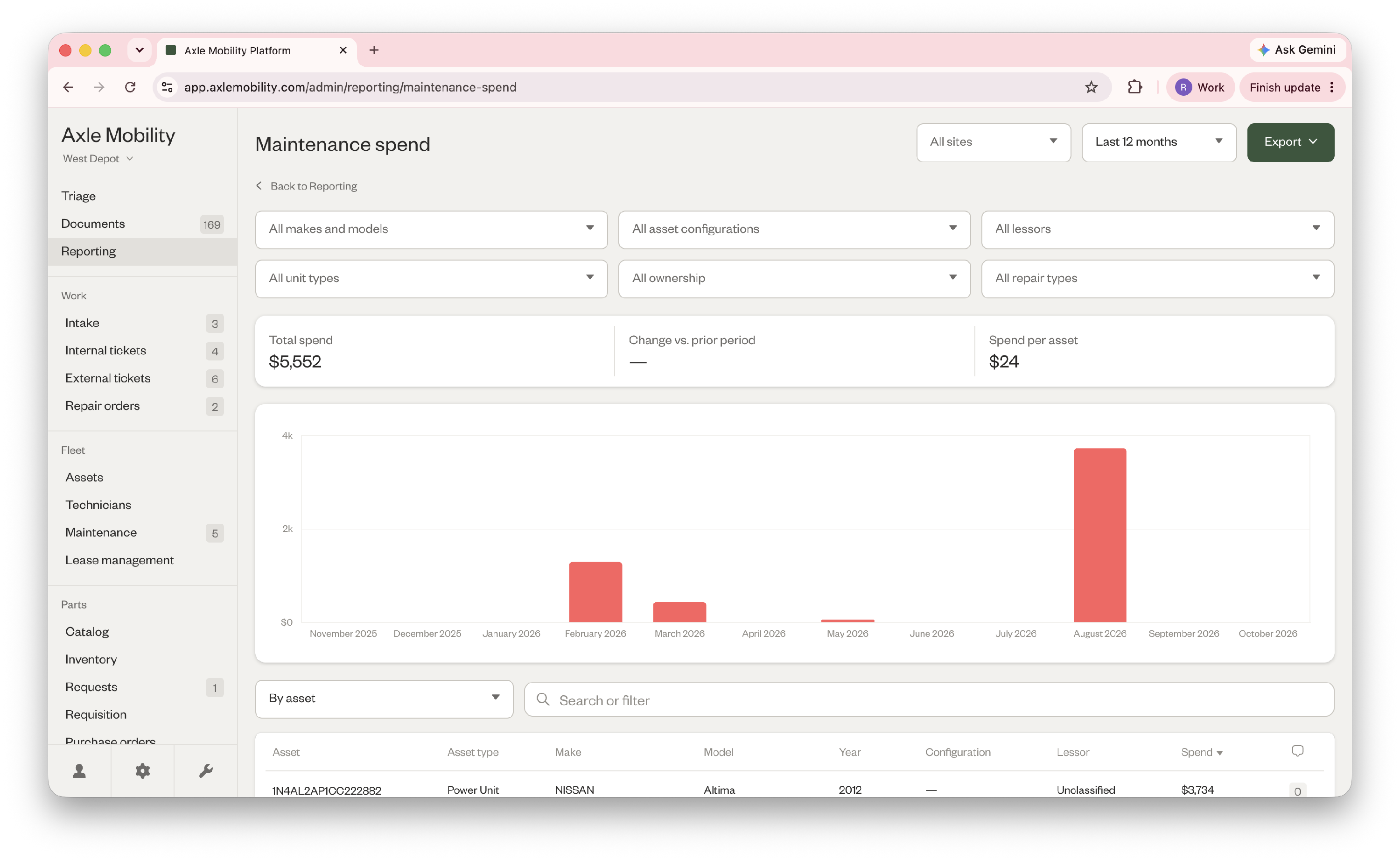
- In the Maintenance spend report, you can see various metrics and insights, a trend chart, and rolling maintenance spend per asset.
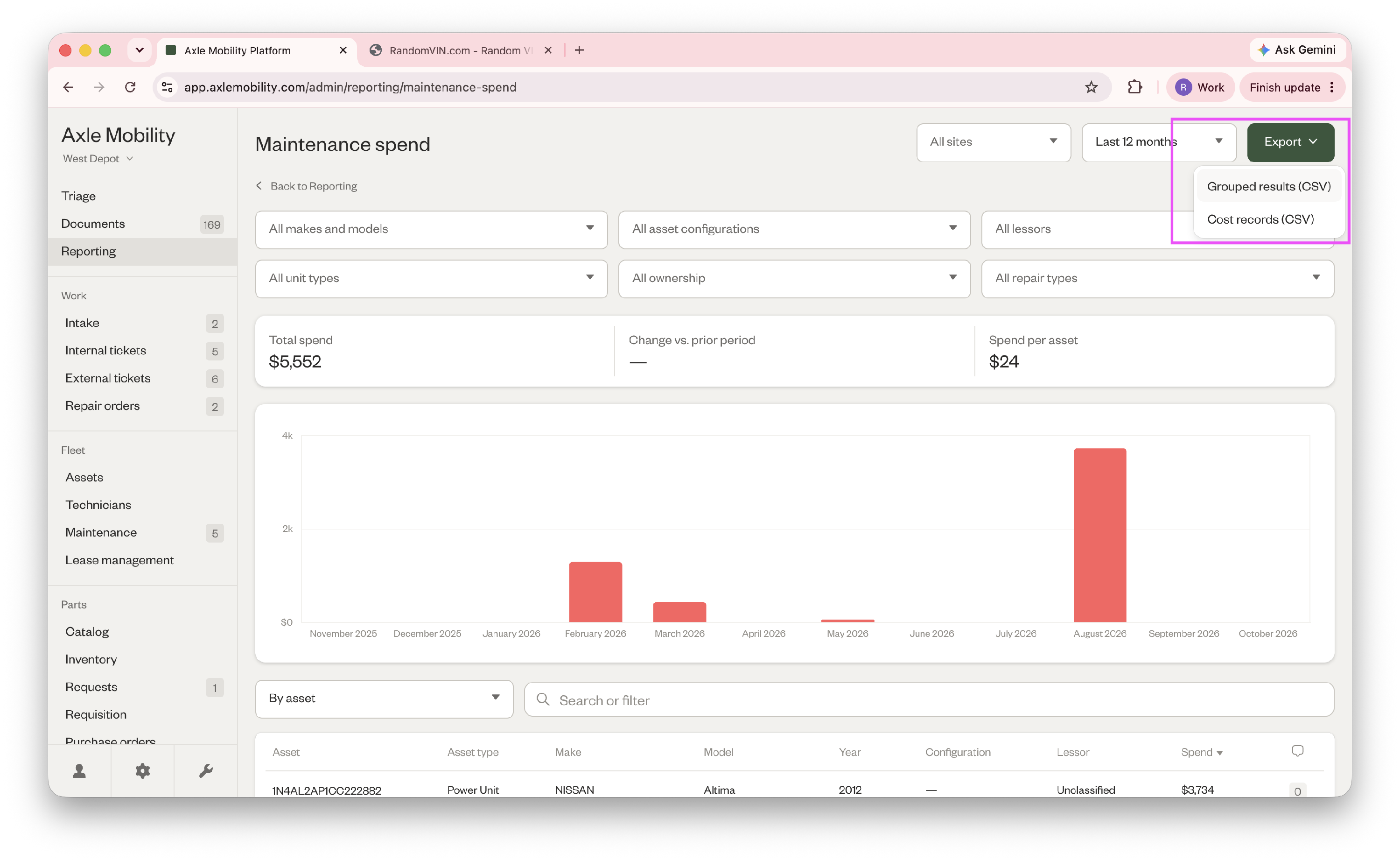
- Click "Export" at the top and choose your format to export the report.
Did this answer your question?
Thanks for the feedback
There was a problem submitting your feedback. Please try again later.
No results found

